Network
The Network group has one page: Services.
Address: /#/config/services
Deep link: ?name= opens that service detail panel.
A service publishes an Edgelet node or a microservice through the TCP bridge: a target port on the resource, a bridge port, and an optional Kubernetes service the hub provisions. How a service is declared: Services.
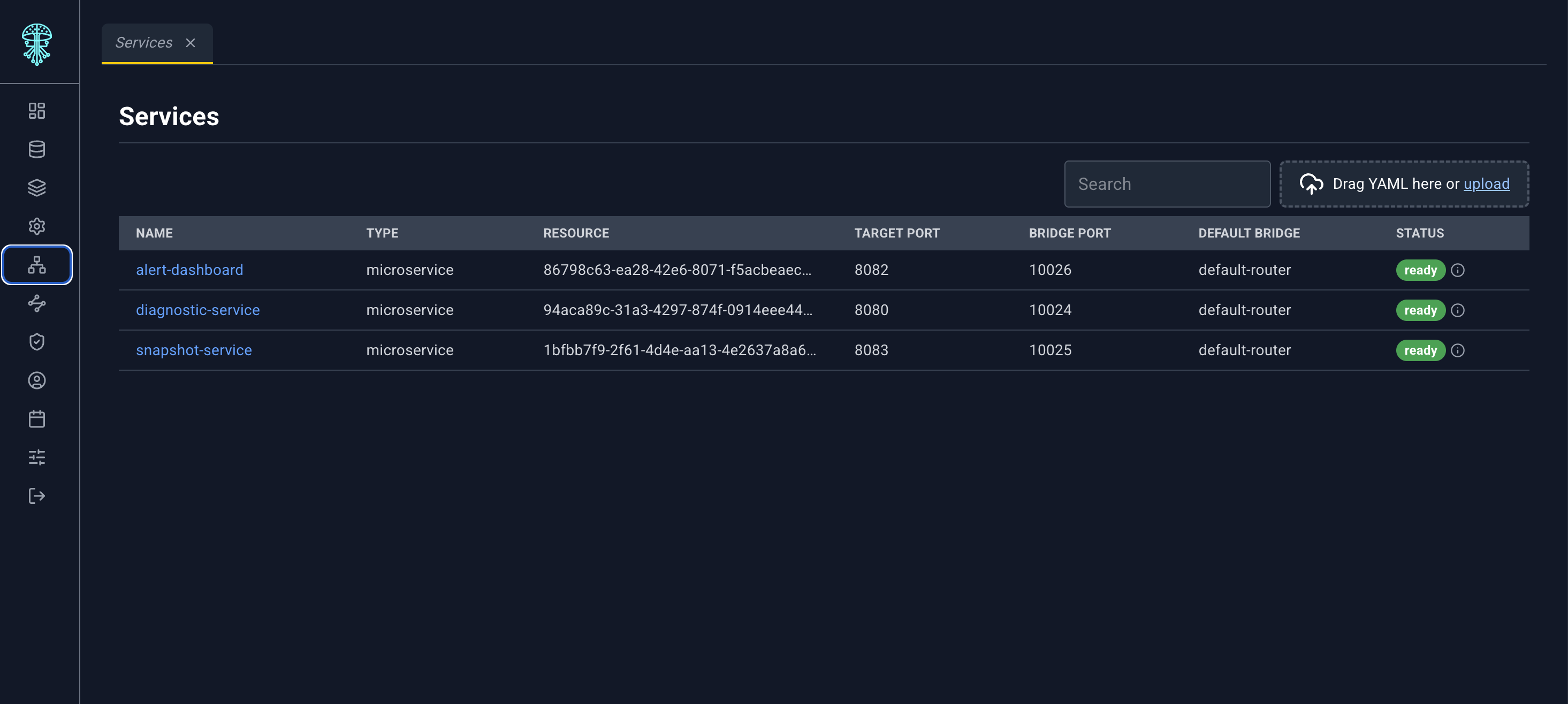
Toolbar
Search and the YAML dropzone. Upload a Service document to create or update a service. There is no separate Create button.
Table
| Column | What it shows |
|---|---|
| Name | Service name. Click to open the detail panel. |
| type | Service type |
| resource | The Edgelet node or microservice this service targets |
| Target Port | Port on that resource |
| Bridge Port | Port on the bridge |
| Default Bridge | Whether this is the default bridge |
| status | Provisioning status pill, or - |
Service detail panel
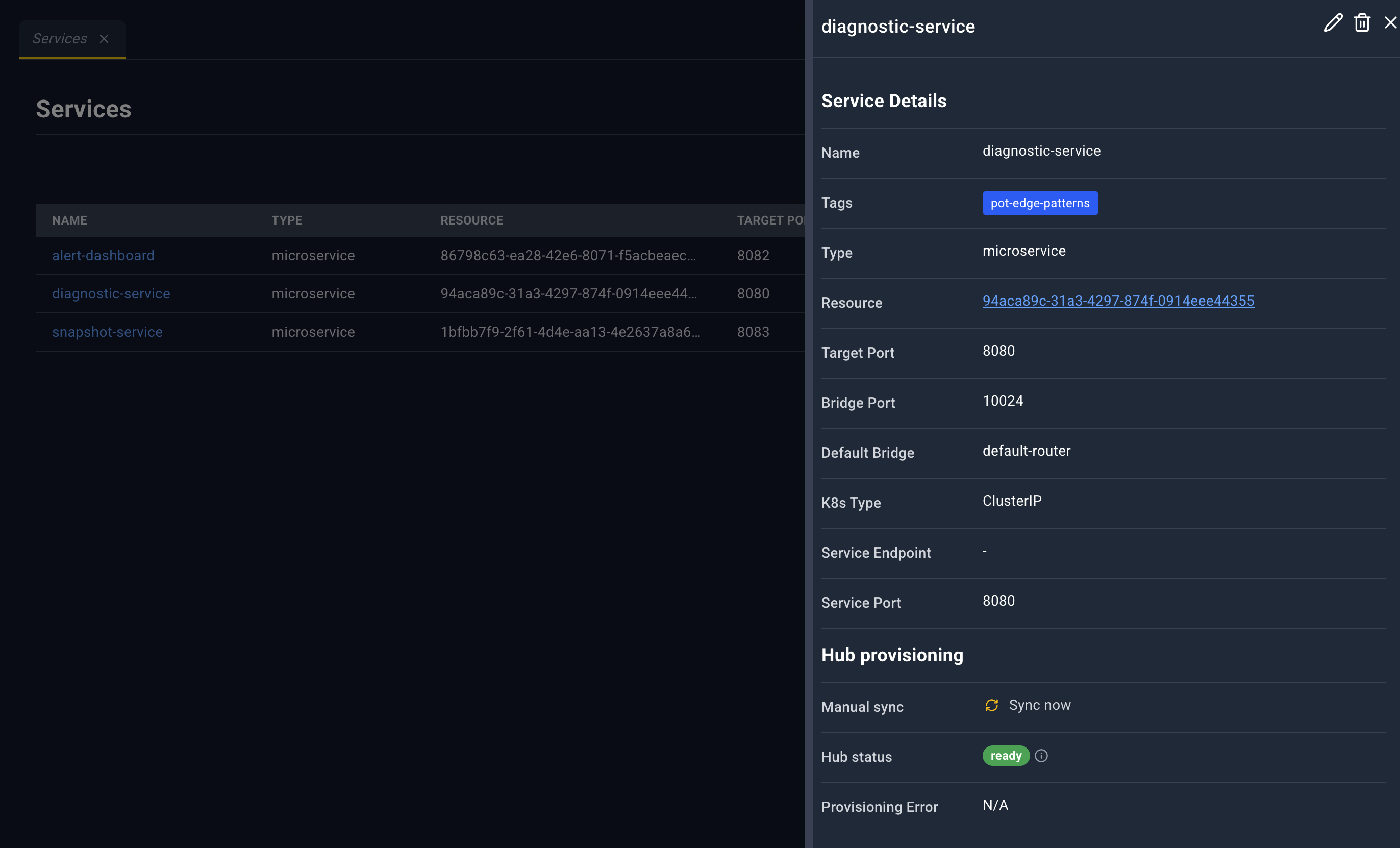
The panel refreshes while it is open.
| Icon | Name | What happens |
|---|---|---|
| Edit | Service YAML in the bottom drawer. Save updates the service. A success toast notes that hub provisioning is in progress. | |
| Delete | Deletes the service. | |
| Close | Closes the panel. |
Service Details
| Field | Meaning |
|---|---|
| Name | Service name |
| Tags | Badges, or N/A |
| Type | Service type |
| Resource | Link. An Edgelet node opens Edgelet List. A microservice opens Microservices. |
| Target Port | Port on the resource |
| Bridge Port | Bridge port |
| Default Bridge | Default-bridge flag |
| K8s Type | Kubernetes service type, when set |
| Service Endpoint | Address, with Copy to clipboard (briefly Copied!) |
| Service Port | Published port |
Hub provisioning
- Manual sync. Button Sync now. Tooltip: Re-runs hub connector, listener, and Kubernetes service setup.
- Hub status. Provisioning badge.
- Provisioning Error. Error text, in red, when the last attempt failed.
Creating or updating a service by YAML also reports that hub provisioning is in progress. Sync now is how you ask the hub to run that setup again without editing the service.
See anything wrong with the document? Help us improve it!