Message bus
The MessageBus group appears only when the Controller reports that NATS is enabled. If the group is missing, this cluster has no message-bus pages.
The pages show NATS operators, accounts, and users that the platform has issued. Application and microservice detail panels link to the NATS rules under Access control. Those rules are the policy. These pages are the issued credentials. See Message bus.
| Page | Address | Page heading |
|---|---|---|
| Operators | /#/messagebus/operators | NATS Operators |
| Accounts | /#/messagebus/accounts | NATS Accounts |
| Users | /#/messagebus/users | NATS Users |
Operators
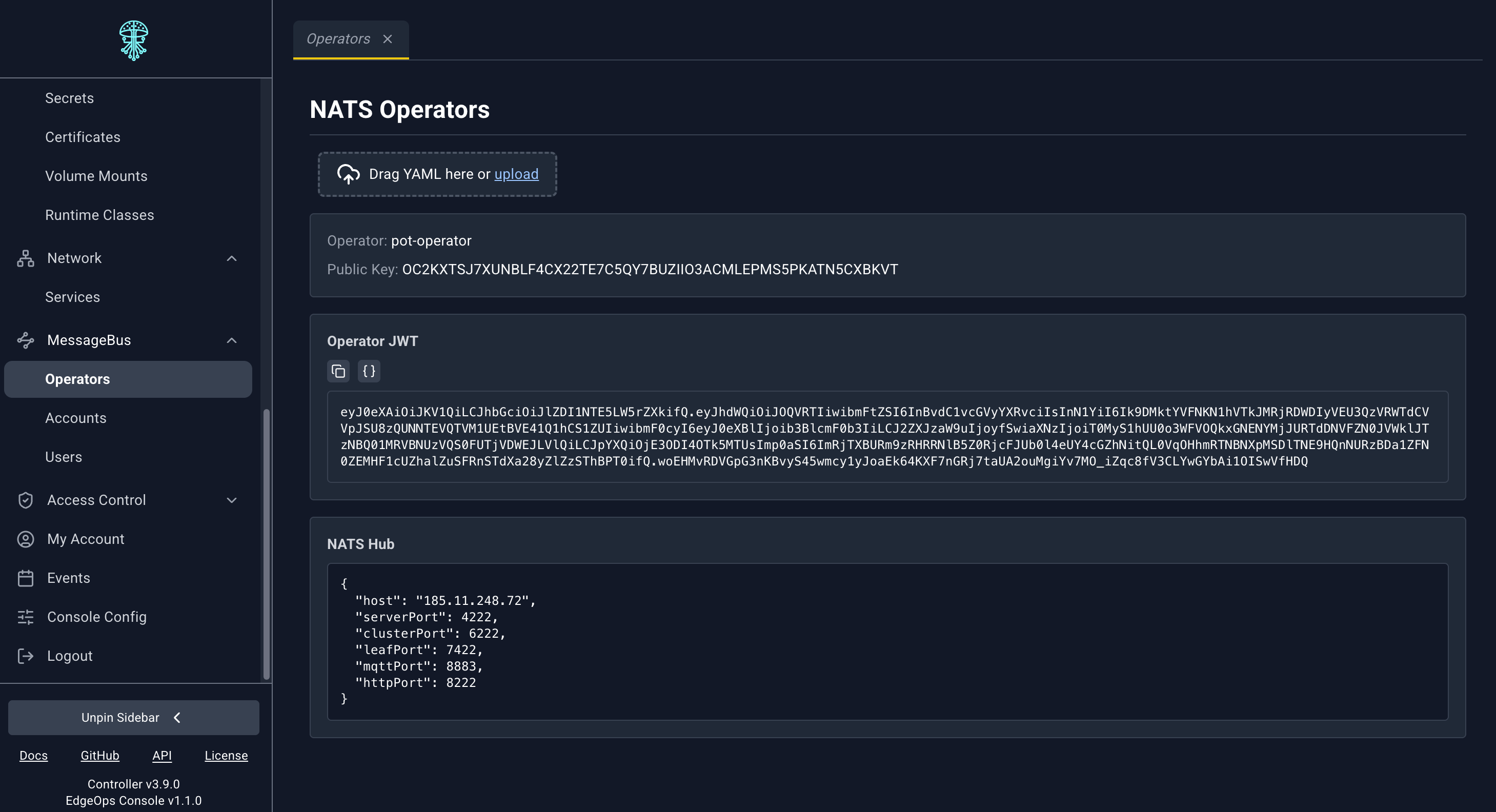
This page is not a table. It shows the operator the hub is using:
- Operator name
- Public Key
- Operator JWT, a copyable block, with the decoded JWT claims
- NATS Hub, the hub description as JSON
The YAML dropzone is on the page. Operator rotation is not offered in the console.
Accounts
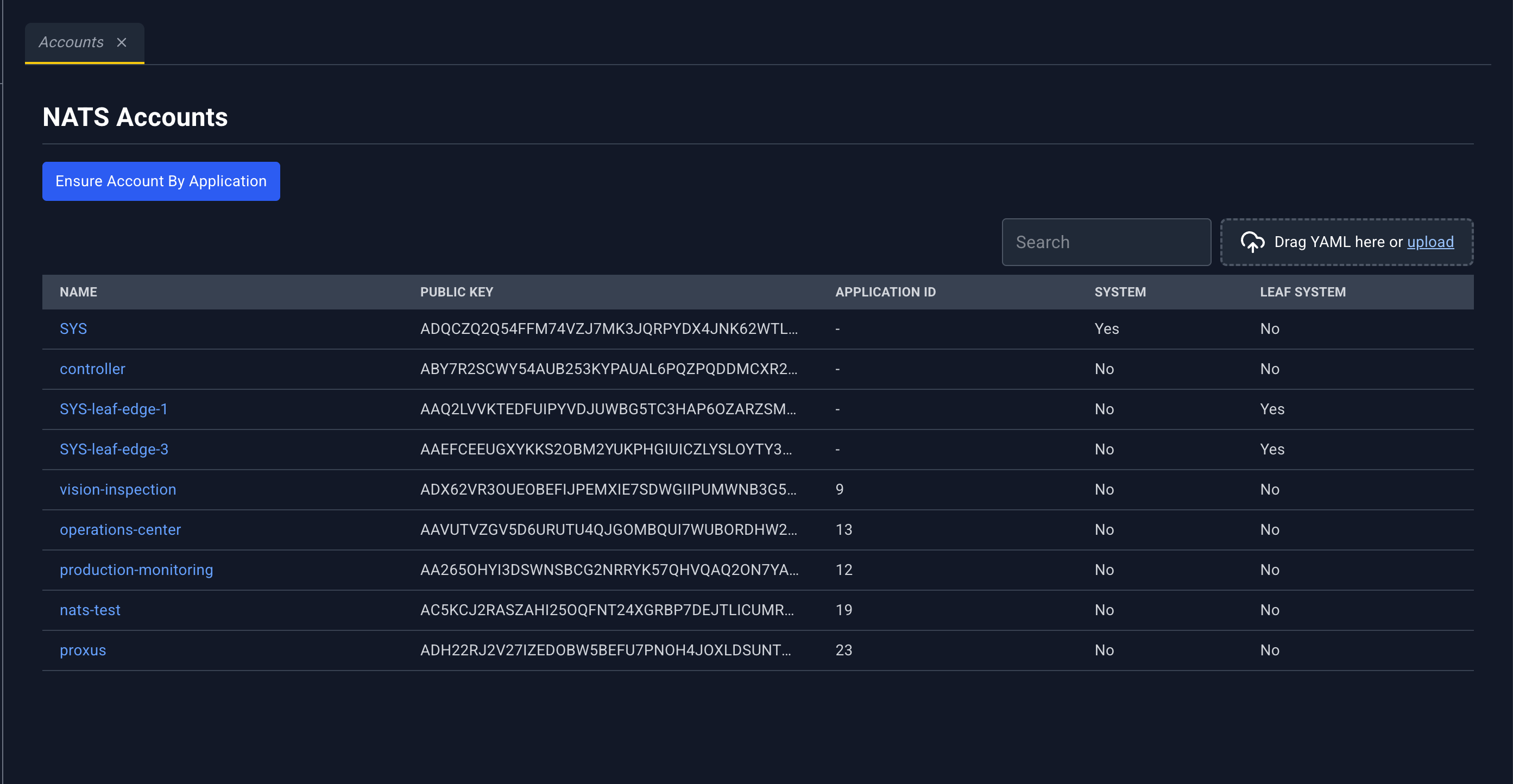
| Column | What it shows |
|---|---|
| Name | Account name. Click to open the detail panel. |
| Public Key | Account public key |
| Application ID | Application this account belongs to |
| System | System account flag |
| Leaf System | Leaf-system flag |
Ensure Account By Application opens Ensure NATS Account:
- Application Name, placeholder
my-application - NATS Account Rule (optional)
- Cancel or Ensure
Use this when an application should have a NATS account and you want the platform to create it from an account rule. Account rules are declared in NATS account rules.
The YAML dropzone accepts NATS account material the uploader knows how to deploy. Account-rule YAML is more often uploaded from Access Control. A successful upload there refreshes these lists when you have them open.
Account detail panel
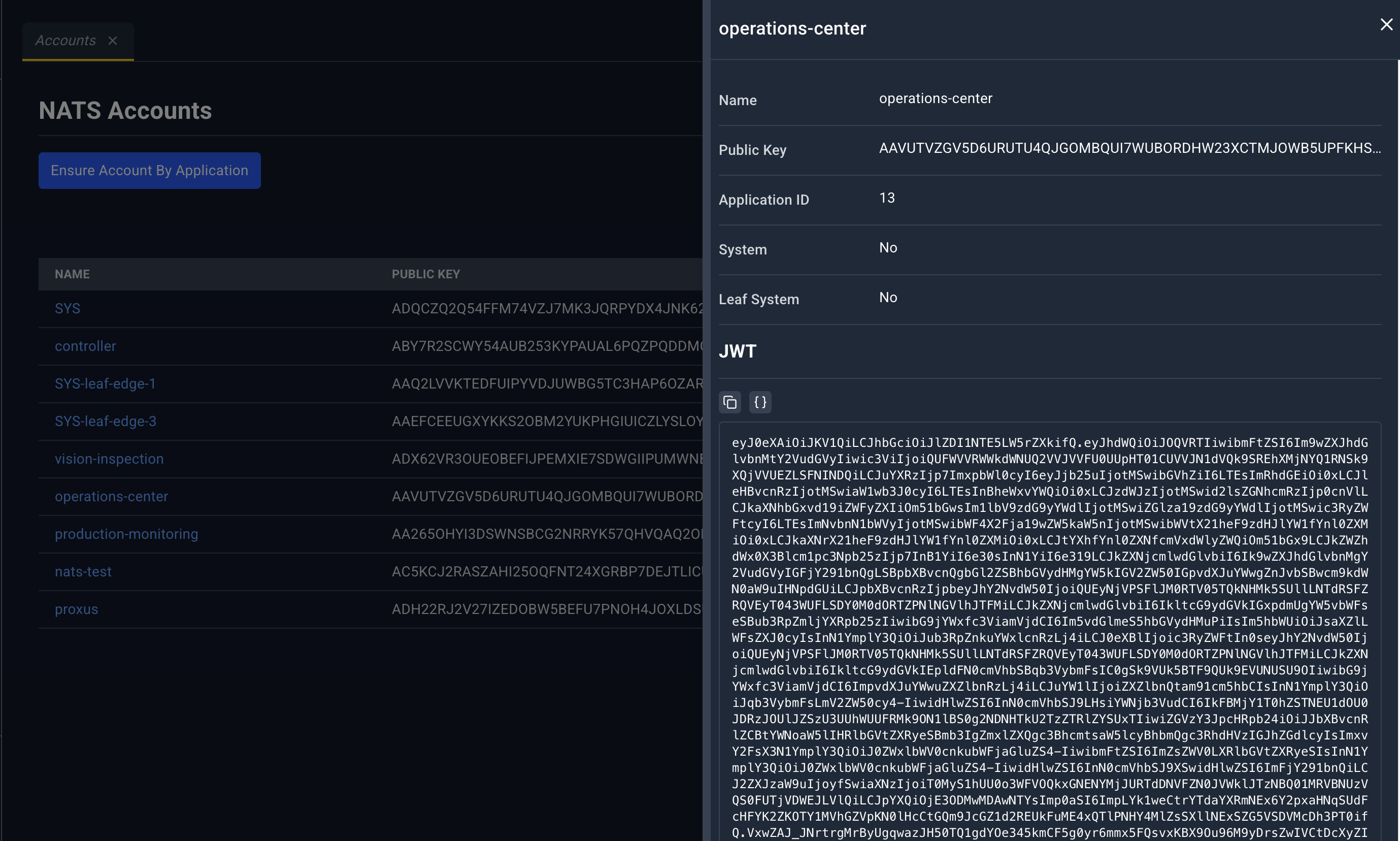
The panel repeats Name, Public Key, Application ID, System, and Leaf System, then a JWT section you can copy.
The header icon on this panel is . Edit and Delete are not offered here. Account lifecycle goes through Ensure and through rule changes under Access Control.
Users
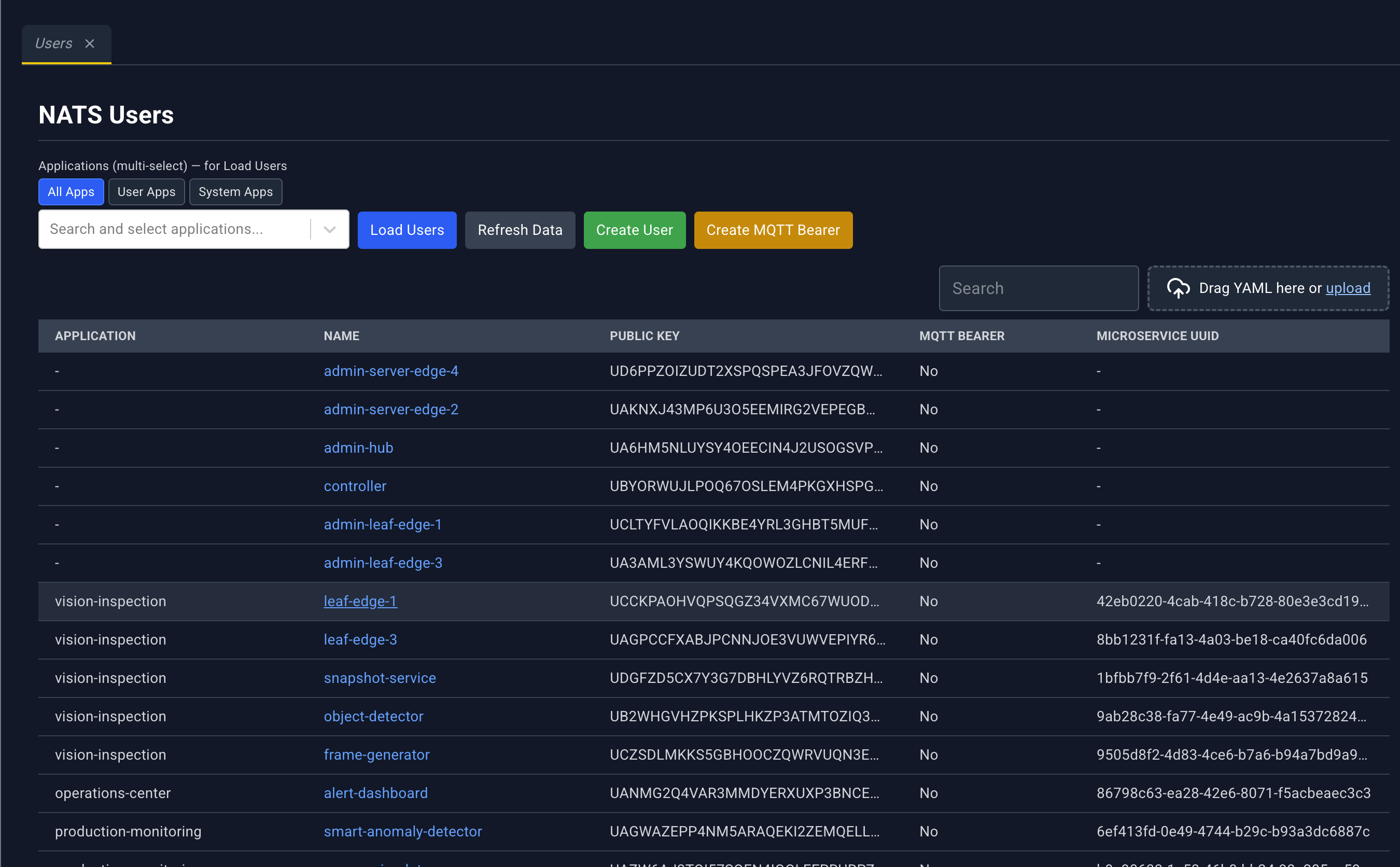
NATS users are loaded per application, because a cluster can have many of them. User policy is declared in NATS user rules.
Filters and buttons
- Applications (multi-select) for Load Users chooses which applications to query.
- Scope toggles: All Apps, User Apps, System Apps.
- Load Users fetches users for the current selection.
- Refresh Data reloads.
- Create User opens the create-user dialog.
- Create MQTT Bearer opens the MQTT bearer dialog.
| Column | What it shows |
|---|---|
| Application | Application name |
| Name | User name. Click to open the detail panel. |
| Public Key | User public key |
| MQTT Bearer | Whether this user is an MQTT bearer |
| Microservice UUID | Microservice this user is bound to, when it is a microservice user |
Create dialogs
Create user and create MQTT bearer ask for:
- An application (picker, with the same app filters)
- A name
expiresInnatsRule, which NATS user rule to apply
User detail panel
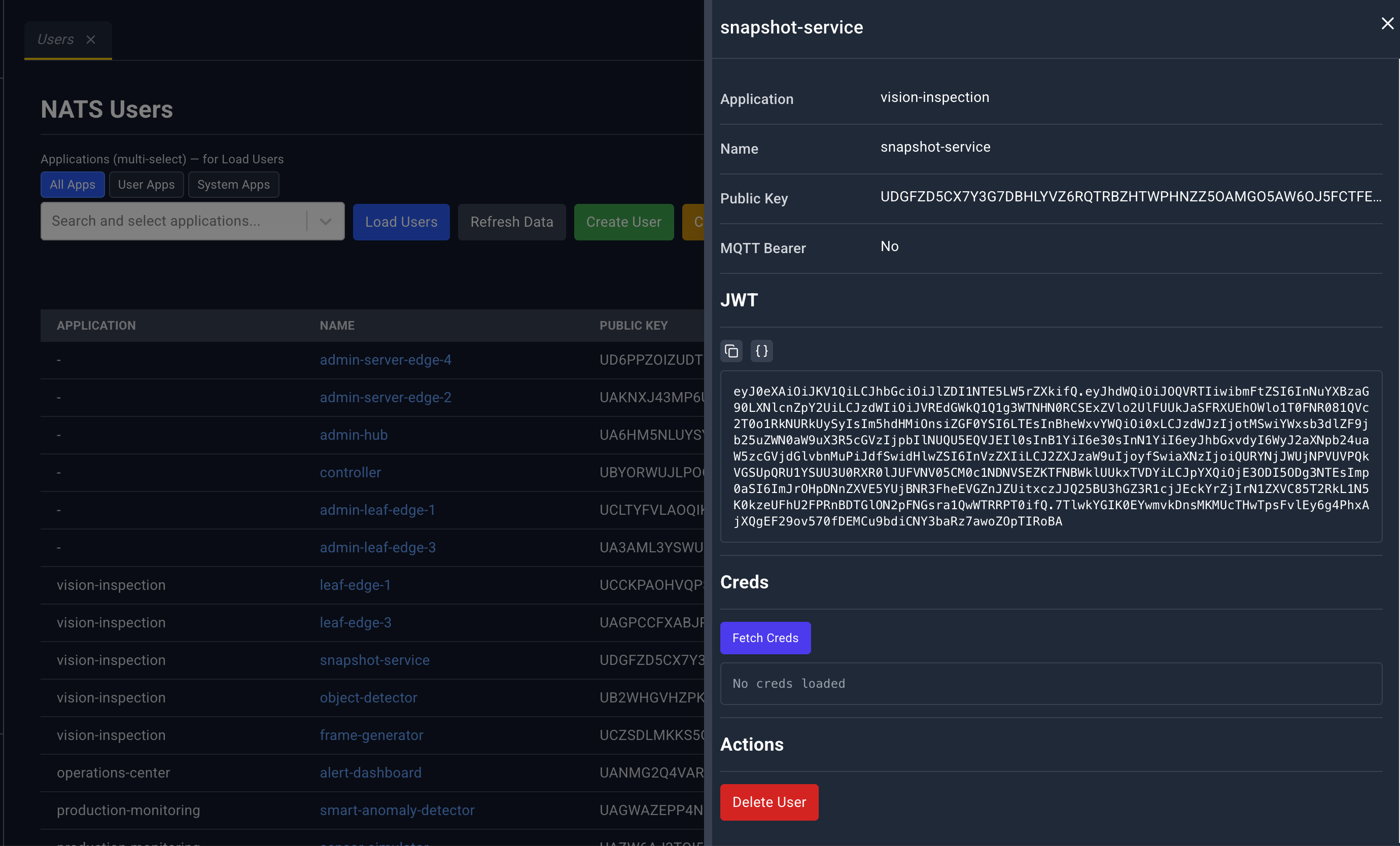
Fields: Application, Name, Public Key, MQTT Bearer, then JWT.
Creds. Fetch Creds loads the credential file. Until you do, the panel says No creds loaded. The loaded creds are shown in a masked block.
Actions. Delete User, or Delete MQTT Bearer when the row is a bearer. Both ask you to confirm.
The YAML dropzone is on the list. The header icon on the detail panel is . Delete lives in the Actions section of the panel.