Remote debugging using IntelliJ
Here we'll see how to remotely debug our Agent. This assumes we have an IntelliJ IDEA IDE up and running, and have already imported the Datasance/Agent github repository project we are going to debug.
- Open the IntelliJ IDEA IDE and click on Run Configurations (top right)

-
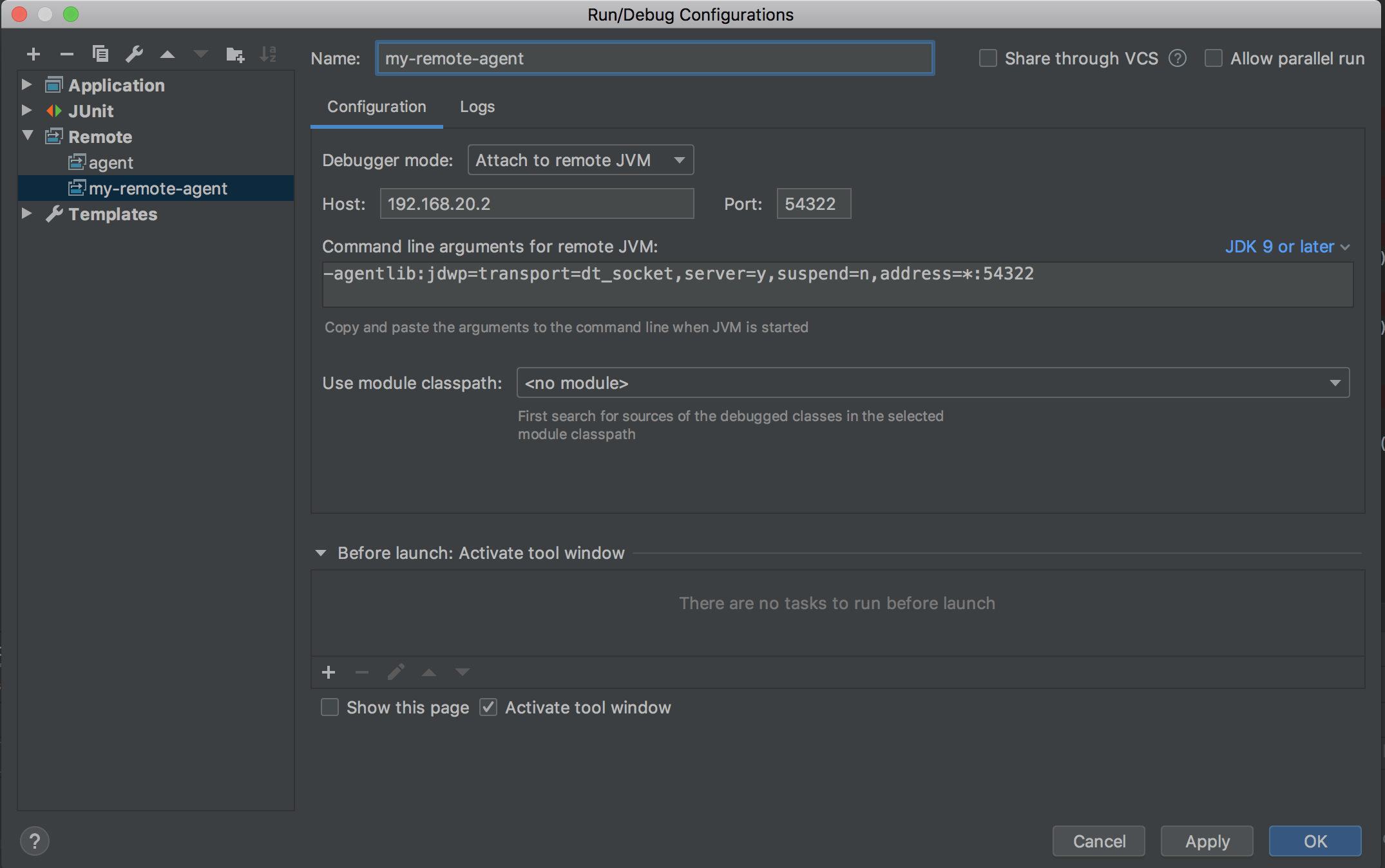
Click on the plus (top left) and select Remote to add a new configuration for a remote app.
-
Enter a name for the configuration, for example my-remote-agent.
-
Change the port number to 54322.
-
Change the host with the Agent ip.
-
Click on apply and ok. You will be taken back to the project source code.
-
Click on the bug icon and select the new configuration to run it.

The project starts running and generating all the log messages of a regular launch in the terminal window. IntelliJ IDEA will intercept the execution at the breakpoint. From here the management is the same as for a regular Java application using your preferred IDE.
Default log file storage location: /var/log/iofog-agent