Download and Install potctl
Platform train v3.9.0 ships potctl v3.9.0. Install the binary that matches your distribution.
Install on macOS
Mac users can use Homebrew:
brew tap Datasance/potctl
brew install potctl
Install on Linux
Install the Debian package:
wget -qO- https://downloads.datasance.com/datasance.gpg | sudo tee /etc/apt/trusted.gpg.d/datasance.gpg >/dev/null
echo "deb [arch=all signed-by=/etc/apt/trusted.gpg.d/datasance.gpg] https://downloads.datasance.com/deb stable main" | sudo tee /etc/apt/sources.list.d/datasance.list >/dev/null
sudo apt update
sudo apt install potctl -y
Or install the RPM package:
cd /etc/yum.repos.d
curl https://downloads.datasance.com/datasance.repo -LO
sudo yum update
sudo yum install potctl
Install on Windows
- Create a folder in File Explorer, for example
C:\potctl. - Download the Windows amd64 binary from potctl_3.9.0_windows_amd64.exe (release v3.9.0) and save it in that folder. You can rename the file to
potctl.exeif you prefer. - Press Win + R, type
sysdm.cpl, and press Enter.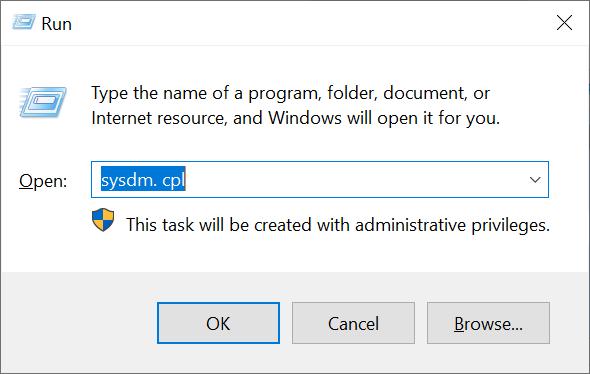
- Open the Advanced tab and click Environment Variables.
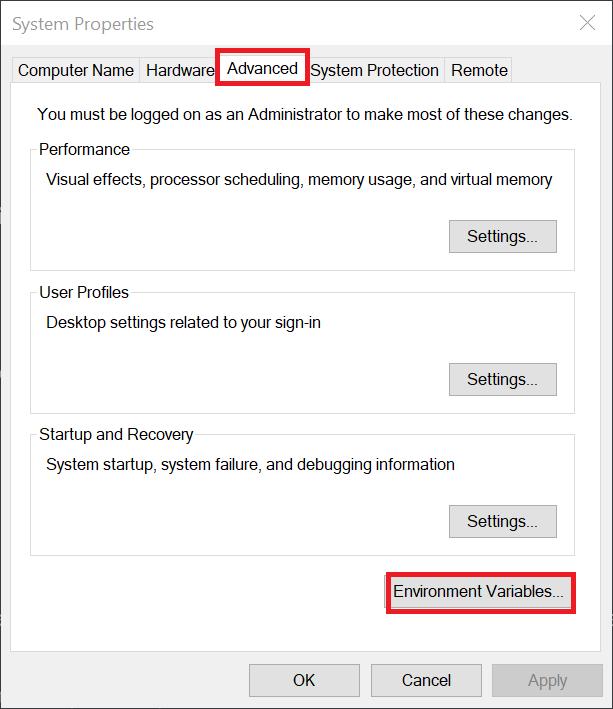
- Under User variables, select Path, then click Edit.
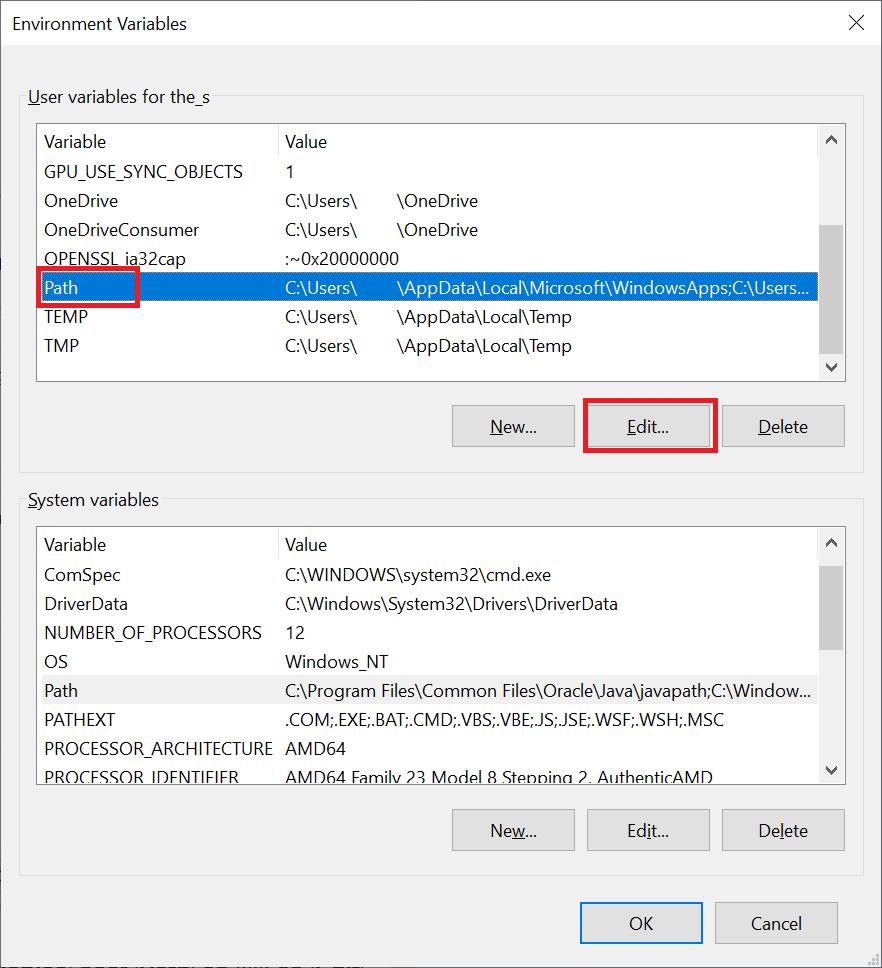
- Click New, enter
C:\potctl(case sensitive), then click OK three times to close all dialogs. - Open a new Command Prompt or PowerShell window and run
potctl version.
Prepare Windows
To deploy an ECN locally on Windows, configure Docker to run Linux containers:
- Install Docker Desktop for Windows
- Follow the WSL2 or Hyper-V backend guidelines in the Docker Desktop docs
- Ensure Docker is running before you use
potctl
Verify installation
potctl version
You should see version v3.9.0 (or a matching release tag).
Next steps?
See anything wrong with the document? Help us improve it!